Modeling a table
Read the guide
Break a piece of furniture into parts, then use simple profiles and solids to build the model.
Read the silhouette and proportions first
Separate the tabletop, legs, and cross pieces before drawing. Find the overall dimensions and where the components meet. Those measurements give you a check while you work from the visual reference.
Use the profile to build the form
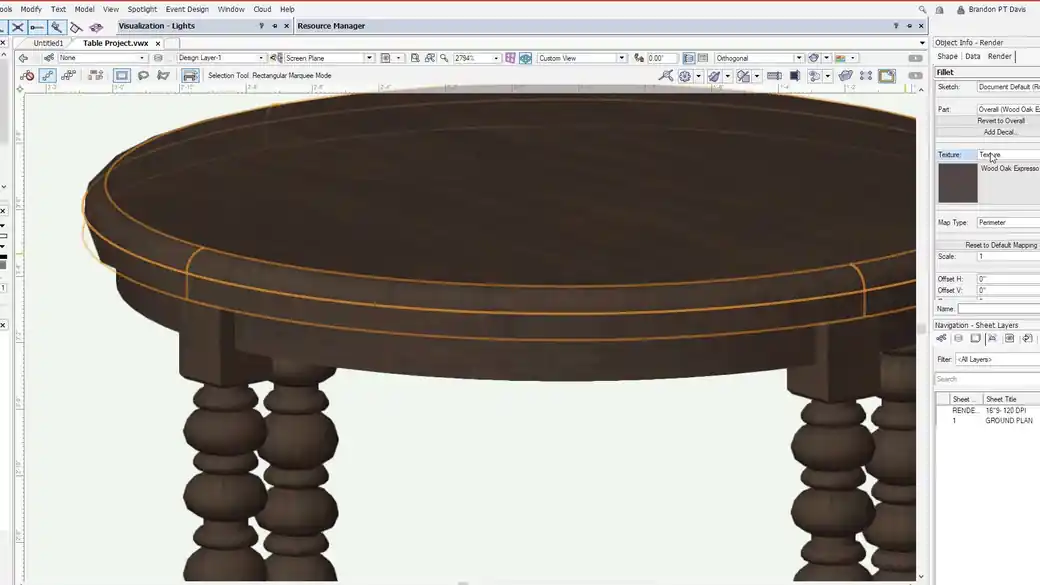
For a turned leg, establish the profile and its axis before using Sweep. Inspect the result in an elevation and a 3D view. Apply the texture after the form is settled, then consider whether the table needs a separate 2D symbol component for the ground plan.
Work through it
- Read the reference in parts. Mark the overall width, depth, and height, then identify the thickness of the top, the apron depth, and the leg centerlines.
- Build the top and apron with separate solids. Draw the side profile of one turned leg, establish its axis, and use Sweep. Check how the turned leg meets the apron before duplicating it.
- Place all four legs from consistent references. Inspect the table in plan, elevation, and isometric views, then add the wood texture and set its direction for each part.
Quick reference
- Tabletop
- Build the footprint and thickness first. Stack simple solids if the edge changes profile.
- Apron
- The frame beneath the top. Check how each rail meets a leg and how much it sets back from the edge.
- Turned leg
- Start with a measured side profile and an axis. Sweep one leg, then place copies from stable reference points.
Put it into a scenic drawing
If the apron ends an inch inside the tabletop edge, dimension that setback in plan and carry it to every side before placing the legs. Try one corner assembly first to confirm the proportions.
What to check
A sweep that looks like a ring usually has a profile that sits away from the intended axis. Check that the profile meets the axis at the top and bottom.