I always thought it would be cool to draw directly on my monitor. I went far enough down that road to try a 27-inch touchscreen that folds down like a drafting table. I never ended up drawing on it. Meanwhile, one of the things I’m happiest I paid extra for is a keyboard with a number pad. That probably tells you more about how I work than any list of specs could.
Apple Studio Display
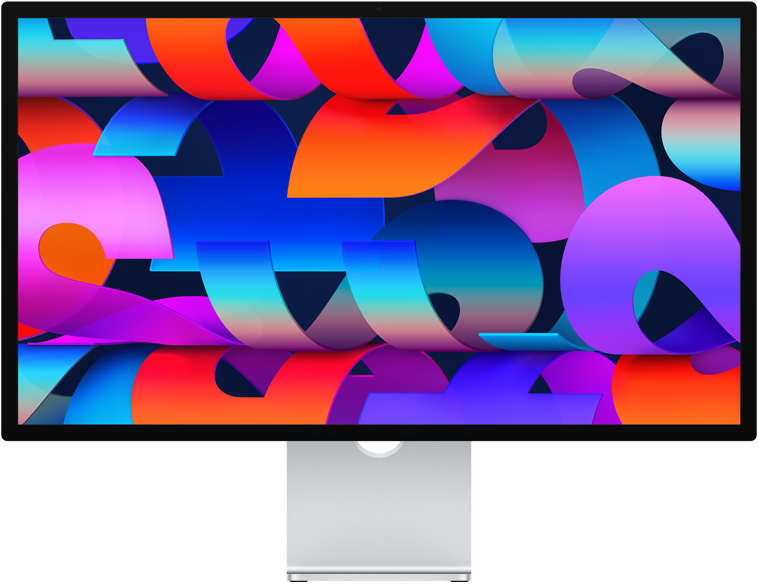
This is my top pick. I like how the Studio Display looks, how it works with my Mac, and how little I have to think about it once I sit down. Twenty-seven inches feels like plenty of room for a Vectorworks drawing and the palettes I need beside it. When I’m going back and forth between drafting and looking at a render, I appreciate how sharp the drawing looks. It’s the display I’d choose again.
Samsung ViewFinity S8

I bought the Samsung ViewFinity S8, and it’s a great budget option for a Mac. It connects over USB-C, and mine keeps things simple. There’s no built-in camera or speakers. If you need those, plan to use what’s already on your Mac or bring your own.
The Studio Display is still my top pick. But if I were spending less and just wanted a screen to work on, I’d be happy with the Samsung.
ALOGIC Clarity Fold Touch

The whole reason I wanted this was the idea of folding the screen down and drawing right on it. In practice, the display felt a little laggy on my Mac, and the image wasn’t as sharp to my eye as the Studio Display. Even adjusting the volume took getting used to. I had to reach for the monitor controls instead of using the volume keys on my Mac.
I never actually drew on it, so I can’t tell you how it feels as a drawing surface. I can tell you that those little things mattered enough in my regular work that I never got around to trying the feature I bought it for.
Logitech MX Master
The MX Master is hands down my favorite mouse for drafting and modeling. I’ve been using the line since the MX Master 3. It fits my hand, gives me good control when I’m moving around a drawing, and lets me set up the buttons differently for each application.
Once I got used to the MX Master, it got hard to use any other mouse. I feel that every time I sit down to help a student at their computer. I notice right away how much I’ve come to rely on the feel of the mouse and where the controls are.
Apple Magic Mouse

The Magic Mouse was my favorite for years. I still like its low profile and touch surface. For a long stretch of drafting or modeling, though, I’d reach for the MX Master. I prefer how it fits in my hand and having buttons I can set up for the application I’m using.
Logitech MX Creative Console

For the price, this was one of my least favorite purchases. I liked the idea of having a little color display next to my keyboard, with the commands I use most right there. But if the software you work in doesn’t already have a profile, setting it up in Logi Options+ can turn into its own project.
Once I’m drafting, my hands already know the hotkeys. I kept reaching for the keyboard before I even thought to look down at the display. I can see the appeal if your apps are already set up for it. For me, the time it took to make it useful was hard to justify.
Apple Magic Keyboard with Touch ID and Numeric Keypad

I know it’s an expensive keyboard, but I’d buy the full-size version again. The number pad earns its space when I’m entering dimensions or working in a 3D application. I also like being able to sign in with Touch ID. It’s a small thing, but it’s one I use enough to miss when I’m on another keyboard.
Apple charges $20 more for the black keys, which I think is a little crazy. And yes, I own both now. One lives in my home office and the other lives in my office on campus.
Why I stuck with a flat keyboard
During the pandemic, when I was working and teaching from home, my wrist hurt enough that I was wearing a brace. I tried what felt like every ergonomic keyboard I could find, including the ones with a slight angle that looked like they might help.
Then I switched to the flat Magic Keyboard. My wrist pain went away, and it hasn’t come back in six years. That’s my experience, and it’s a big part of why this is still the keyboard I use.
If I were putting my desk together again, I’d start with the Studio Display, the MX Master, and the full-size keyboard. Those are the things I notice every time I sit down to work.
Product safety recall
Belkin Auto-Tracking Stand Pro with DockKit
Belkin issued a recall for the MMA008 because the battery can overheat and pose a fire hazard. Check your model and serial number against the recall instructions. If your stand is covered, stop using it and disconnect it from power.

My experience before the recall
This was a lot of fun in the scene shop. I could put my iPhone on the stand, let it follow me while I worked, and keep the phone charged while filming. That made it easier to get footage without stopping to reframe the shot. Even when I liked using it, I thought the price only made sense if I planned to film regularly.